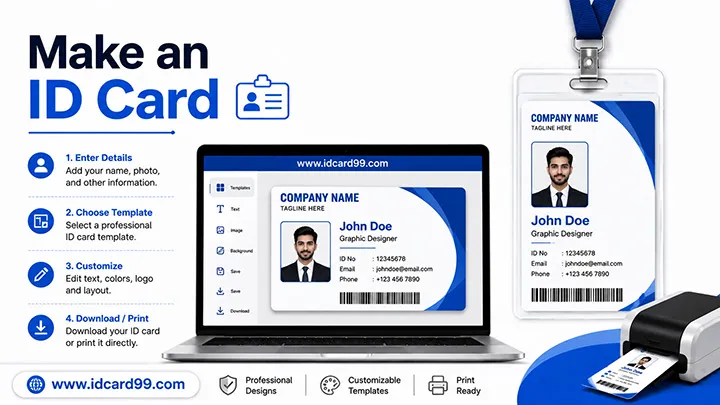
How to Make an ID Card - Complete Design and Printing Guide
Plan the purpose, details, photo, layout, proof checking, material and authorized use of an ID card.
Read MorePractical guides about ID card design, PVC card printing costs and RFID card technology.
Written from the design, proof checking, printing and customer-support experience of Nareshbhai and Dhruv Lamination in Ahmedabad.
Plan the purpose, details, photo, layout, proof checking, material and authorized use of an ID card.
Read More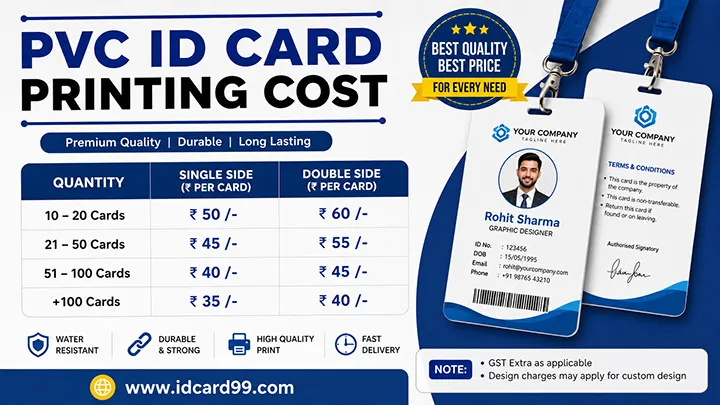
Understand how quantity, material, data, proof corrections, accessories and delivery affect a real quotation.
Read More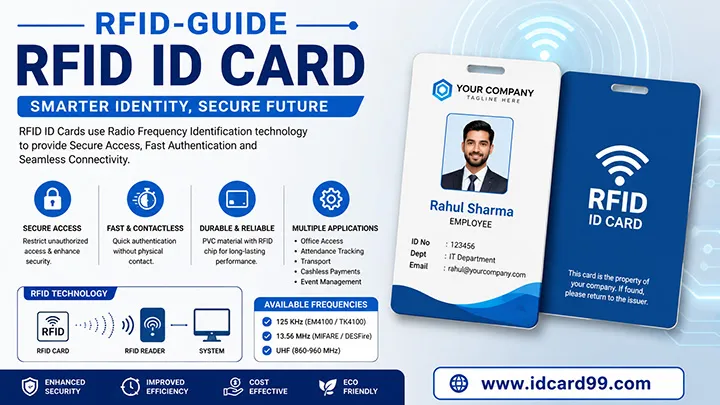
Learn how frequencies, chip compatibility, readers, enrolment and sample testing work together.
Read MorePreparing an ID card involves more than placing a name and photo on a design. The required information, card dimensions, print method and intended use should be confirmed before the card is produced.
Decide which details are necessary for the card's purpose. These may include a person's name, photograph, employee or student number, department, designation or validity date. Check spellings and numbers against the approved records before finalizing the design.
Use a clear photograph with the face visible and adequate lighting. Crop it to fit the selected layout without cutting off important parts of the face. Follow any specific photo requirements provided by the school, employer or organization.
Confirm the finished card dimensions, orientation, material and printing method with the printer. If the design includes a logo, small text or other fine details, check that they remain readable at the final printed size.
Check the name, photograph, identification number, logo, alignment and contact details on the final proof. For multiple cards, compare the supplied data with the approved records and confirm any corrections before authorizing production.
If the card uses RFID or NFC technology, confirm the required chip or card type, frequency, reader compatibility and intended system with the supplier. A card's appearance alone does not confirm that it will work with a particular attendance or access-control system.
Use photographs and personal details only with appropriate authorization. Collect only the information needed for the card's purpose, restrict access to source files and avoid sharing employee or student data unnecessarily.
For more detailed guidance, explore our articles on ID card design and preparation, PVC card printing costs and RFID card technology.
Use our free online tools to resize photos, crop images, generate QR codes and convert supported images.
You can also visit the download section to get free employee ID card templates, student ID card templates and school ID card layouts.
For technical standards and smart card information, refer to: ISO/IEC 7810 and GS1: What Is RFID? .
The commonly used ID-1 card size is 85.60 × 53.98 mm according to ISO/IEC 7810.
Adobe Photoshop, CorelDRAW, Adobe Illustrator and other compatible design tools are commonly used. The correct choice depends on the template file and printing workflow.
RFID is a broad radio-frequency identification technology. NFC is a short-range technology within the HF RFID family and supports compatible two-way interactions.
Yes. The download section provides free editable employee, student, school and visitor ID card PSD templates for authorized use.
Contact IDCard99 for PVC ID card printing, RFID cards, NFC cards and custom smart card solutions.
Contact Us Explore Card TypesIf our free tools, templates and resources helped you, you can support us with a small contribution.
Support Us