Free WebP Converter Online
Convert JPG, JPEG and PNG images into optimized WebP files instantly. Reduce image size and support faster website performance.
Convert Image Now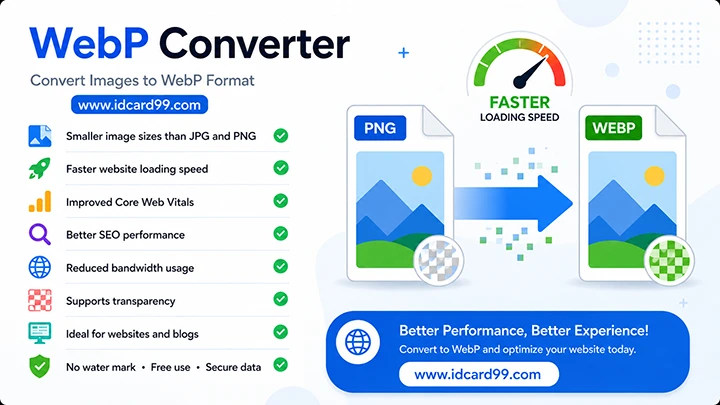
Convert Image to WebP
Why Use WebP Images?
WebP is a modern image format developed by Google that delivers smaller file sizes while maintaining excellent image quality.
- Smaller image sizes than JPG and PNG
- Faster website loading speed
- Improved Core Web Vitals
- Better SEO performance
- Reduced bandwidth usage
- Supports transparency
- Ideal for websites and blogs
How to Convert Images to WebP
1. Upload Image
Select a JPG, JPEG or PNG image from your device.
2. Select Quality
Choose the desired WebP compression quality.
3. Download WebP
Download your optimized WebP image instantly.
Benefits of WebP Images
WebP images provide significantly smaller file sizes compared to traditional JPG and PNG formats. Smaller images help improve website speed, reduce bandwidth usage and create a better user experience.
Modern browsers support WebP images, making them one of the best image formats for SEO optimization and website performance improvements.
- Faster page loading
- Lower hosting bandwidth usage
- Better mobile performance
- Improved Core Web Vitals
- Search engine friendly format
- High image quality with compression
Convert JPG, JPEG and PNG Images to WebP
WebP is an image format developed by Google that supports lossy and lossless compression. It can help reduce image file sizes while maintaining suitable visual quality. The actual result depends on the original image, its content and the compression settings used during conversion.
This free online WebP converter lets you convert JPG, JPEG and PNG images without installing image-editing software or creating an account. Upload an image, choose a quality value between 10 and 100, convert it and download the resulting WebP file.
How the WebP Quality Setting Works
The quality setting controls the compression level used when creating your WebP image. The default value is 70, but you can choose another value depending on your needs.
- Lower quality values: May create smaller files, but visible image details can be lost.
- Medium quality values: Can provide a practical balance between file size and appearance for many images.
- Higher quality values: Generally preserve more visual detail, although the resulting file may be larger.
There is no single quality value that works best for every image. For important photos, logos or graphics, try a suitable setting and inspect the downloaded result before using it.
How to Check the Converted File Size
Converting an image to WebP does not guarantee that the output will always be smaller than the original. The result depends on the source format, image content and selected quality.
After downloading your WebP file, compare its file size with the original image. On a Windows computer, you can right-click each file and open Properties to check the size. On a phone, use the file manager's file details option if available.
If the output is larger than expected or its appearance is not suitable, try another quality value and convert the original image again. Keep the version that best meets your file-size and image-quality requirements.
WebP Transparency and Image Compatibility
WebP supports transparency, which can be useful for logos, icons and graphics with transparent backgrounds. This converter is configured to preserve PNG alpha transparency during conversion. However, always open the downloaded file in a compatible viewer or editor to verify the result.
The converter accepts JPG, JPEG and PNG images only. PDF and GIF files are not supported. Animated GIF conversion is not available through this tool.
Upload Limits and Practical Tips
- Supported formats: JPG, JPEG and PNG.
- Maximum upload size: 10 MB per image.
- Maximum image dimensions: 40 megapixels in total.
- Quality range: 10 to 100, with 70 selected by default.
- Output: A downloadable WebP image.
For the best result, start with a clear original image, select a suitable quality value and check the downloaded file before publishing it on a website or sharing it with others.
When optimizing website images, also use appropriate display dimensions and descriptive alternative text. Image format is only one part of website performance; the overall result depends on several factors, including image dimensions, page design and how the site loads its resources.
Related Tools
Frequently Asked Questions
What is WebP?
WebP is an image format developed by Google that supports lossy and lossless compression. It can reduce image file size while maintaining suitable visual quality.
Is this WebP converter free?
Yes, this online WebP converter is free to use without registration.
Can I convert PNG to WebP?
Yes, you can convert JPG, JPEG and PNG images to WebP. PDF and GIF files are not supported.
Does WebP improve SEO?
WebP can reduce image file sizes and may help improve page loading performance. Actual results depend on the image, compression settings and overall website.
Is my uploaded image secure?
The source image is handled as a temporary upload during conversion. The generated WebP file is stored on the server for download. Generated WebP files older than one hour are eligible for deletion when the converter page runs again. Avoid uploading confidential or sensitive images.
Optimize Images for Faster Websites
Convert images to WebP format and improve website speed, SEO performance and user experience.
Start Converting More Free ToolsSupport Our Free Tools
If our free tools, templates and resources helped you, you can support us with a small contribution.
Support Us