Passport Photo Maker Online
Create passport-size and visa photos from a mobile selfie or an existing image.
Free online passport photo maker for government forms, visa applications and student registrations.

Sample preview — upload your photo or take a selfie to begin.
Preview
Prepare a Passport-Size Photo
Choose or Take Photo
Upload an existing picture or use the front camera on a supported mobile device.

Align the Face
Use a plain background, even light and enough space around the head and shoulders.
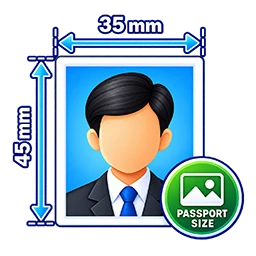
Select a Preset
Choose the available passport or visa crop, then verify it against the current official requirement.
Download JPG
Preview the crop and download a clear image without a visible watermark.
Free Passport Size Photo Maker Online
Use this free online passport photo maker to crop a photo for passport applications, visa forms, student registrations and other online applications. Upload an existing JPG, PNG or WebP image, or use the selfie option on a supported mobile device. Adjust the crop and preview your photo before downloading it as a JPG.
Available Passport and Visa Photo Presets
This tool provides two crop presets. Passport HD creates an image of 413 × 531 pixels, while Visa HD creates an image of 295 × 413 pixels. These are pixel dimensions, not a guarantee of a particular printed size or acceptance by an authority. Photo requirements can vary by country, application and issuing authority, so check the current official instructions before submitting your photo.
How to Make a Passport Photo Online
- Upload a photo or use the selfie option on a supported mobile device.
- Move and adjust the crop to position your face correctly.
- Select Passport HD or Visa HD according to your needs.
- Check the preview and download your JPG photo.
Tips for a Clear Passport Photo
- Use a clear, recent photo with your face visible.
- Choose even lighting and avoid strong shadows.
- Keep your head and shoulders positioned according to the required guidelines.
- Check the background, dimensions and file-size rules for your application.
- Keep the original image so you can prepare another crop if needed.
Photo Processing and Download
The crop and preview are generated in your browser. The tool exports the selected crop as a JPG image without adding a visible watermark. Before using the downloaded photo, verify that its dimensions, appearance and file format meet the requirements of the form or authority receiving it.
Related Free Tools
Frequently Asked Questions
How to create passport size photo online?
Upload your photo, adjust the crop, select Passport HD or Visa HD according to your needs, review the preview and download your JPG photo.
Can I create visa photos with this tool?
Yes, the tool provides Passport HD and Visa HD crop presets. Check the current photo dimensions and other requirements specified by the authority receiving your photo.
Is this passport photo maker free?
Yes, you can use this online passport photo maker for free without registration.
Explore More Free Online Tools
Use image crop tools, resize tools and free ID card generators on IDCard99.
All Tools Free TemplatesSupport Our Free Tools
If our free tools, templates and resources helped you, you can support us with a small contribution.
Support Us