Custom Rectangle Image Crop Tool
Create HD rectangle images for YouTube thumbnails, banners and websites.
Choose a standard ratio or enter custom output dimensions for forms, banners, thumbnails and profile photographs.

Sample preview — upload your image, choose a ratio and adjust the crop area.
Preview
Custom Rectangle Crop Options

Upload an Image
Choose a photograph, banner source or profile image from your device.
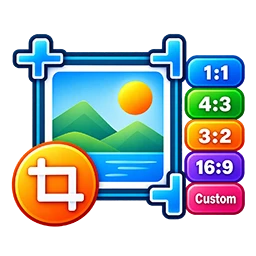
Choose a Ratio
Use 16:9, 4:3, 3:4 or 1:1 without stretching the selected image.
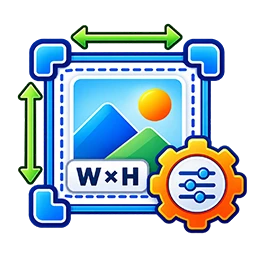
Enter Custom Pixels
Your width and height create the crop ratio and final JPG dimensions.

Preview and Download
Check the composition and download a short, uniquely named JPG file.
Use the separate exam photo resizer when a form also specifies a maximum KB limit.
Crop Image to 16:9 Ratio Online
Use this free online rectangle image crop tool to crop photos into 16:9, 4:3, 3:4 or square (1:1) shapes. You can also enter custom width and height values to prepare an image for a website, banner, thumbnail, presentation or other project.
Upload a JPG, PNG or WebP image, adjust the crop area and review the preview before downloading the result as a JPG. The tool crops the selected area and resizes it to your chosen output dimensions without intentionally stretching the image.
Available Image Crop Ratios and Custom Sizes
Choose a preset ratio according to your intended use, or select Custom width-height to enter your own pixel dimensions. For example, 1280 × 720 pixels uses a 16:9 ratio, while 1200 × 900 pixels uses a 4:3 ratio. The final image dimensions follow the width and height entered in the tool.
- 16:9 landscape: YouTube thumbnails and wide images
- 4:3 landscape: General-purpose images and presentations
- 3:4 portrait: Portrait-oriented images
- 1:1 square: Square images and profile graphics
- Custom dimensions: Enter your required width and height in pixels
How to Crop an Image to 16:9 Online
- Upload a JPG, PNG or WebP image from your device.
- Select 16:9 landscape or another available crop ratio.
- Adjust the crop area to keep the important part of the image.
- Check the preview and confirm the output dimensions.
- Click Download HD Image to save the cropped JPG.
Convert a Square Image to a Rectangle
To turn a square image into a rectangular output, upload the image and choose a landscape or portrait ratio, such as 16:9 or 3:4. Adjust the crop area to select the portion you want to keep. You can also enter custom width and height values. Cropping may remove parts of the original image, so review the preview before downloading.
Common Uses of the Rectangle Crop Tool
- YouTube thumbnails and wide video graphics
- Website banners and blog featured images
- Social media graphics and promotional images
- Presentation images and general design projects
- Images that need specific pixel dimensions
Image Processing and Download
The crop preview and JPG output are generated in your browser. The tool does not require registration or add a visible watermark. Output dimensions are based on your selected width and height. Image file size can vary depending on the source image and its content.
Before using the downloaded image on a website, application or other platform, check that its dimensions, format and file size meet the requirements of that destination.
Related Free Tools
Frequently Asked Questions
How to crop an image to 16:9 online?
Upload your image, select 16:9 landscape, adjust the crop area, review the preview and download the JPG image.
Can I crop an image to 4:3 or 3:4?
Yes. Choose the 4:3 landscape or 3:4 portrait preset and adjust the crop area before downloading.
Can I convert a square image to a rectangle online?
Yes. Select a rectangular ratio such as 16:9 or 3:4, adjust the crop area and download the rectangular JPG.
Can I enter custom image dimensions?
Yes. Select Custom width-height and enter your required width and height in pixels. The tool uses those values for the output.
Is this rectangle crop tool free?
Yes. You can use the online crop tool without registration.
Explore More Free Online Tools
Use free image crop tools, photo resize tools and ID card generators on IDCard99.
All Tools Free TemplatesSupport Our Free Tools
If our free tools, templates and resources helped you, you can support us with a small contribution.
Support Us