Custom NFC Card Printing and Smart Tap Solutions
Printed NFC cards for digital business profiles, websites, WhatsApp, Google review pages and approved employee applications.
IDCard99 designs, prints, encodes and tests NFC PVC cards for businesses, professionals and organisations. We confirm the required action and smartphone compatibility before bulk production.
Call Now WhatsApp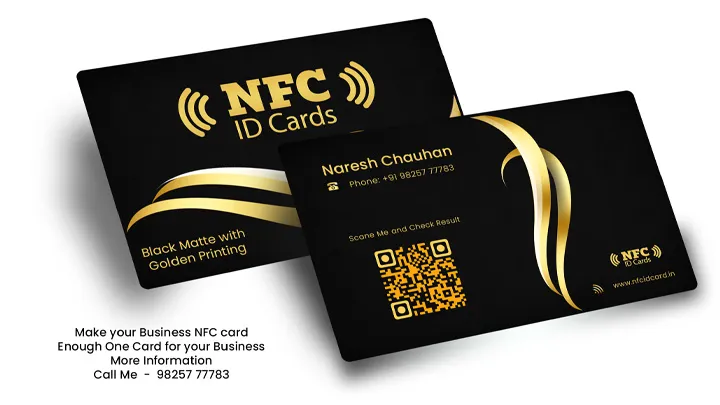
What Is an NFC Card?
NFC means Near Field Communication. An NFC card contains a small electronic chip and antenna inside its PVC body. A passive NFC card does not need its own battery. When the card is brought very close to a compatible phone or reader, the reader's field powers the tag long enough to read its stored information.
NFC operates at 13.56 MHz and is designed for close, intentional interaction. The NFC Forum describes a typical operating range of up to about 2 cm. Actual performance depends on the phone antenna, card chip, card construction, phone case and alignment, so the card should be held against or very near the phone rather than scanned from a distance.
A card may open a website, digital profile, contact page, catalogue, social profile, map location or another approved action. The phone still needs the appropriate app or internet connection when the destination itself requires one.
How to Scan an NFC Card with a Smartphone
- Check compatibility: confirm that the phone supports NFC and the card's tag type.
- Unlock the phone: keep the screen awake. On some Android phones, NFC must be enabled in Settings or Quick Settings.
- Locate the antenna: it is commonly near the upper or central rear area, but its position varies by model.
- Hold the card close: place it against the back of the phone and move it slowly until a notification appears.
- Open the prompt: check the displayed website or action before tapping it.
Some specialised tags need a compatible application such as an NFC tag-management app. A thick case, metal object or incorrect antenna position may prevent a successful scan. No separate app is normally needed for a standard website URL on a supported phone.
Useful NFC Card Applications
Digital Business Card
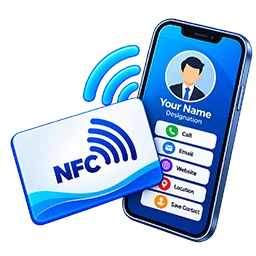
Open a managed profile containing a name, company, phone, email, address, portfolio and social links. The landing page can be updated without printing every detail on the card.
Review Page
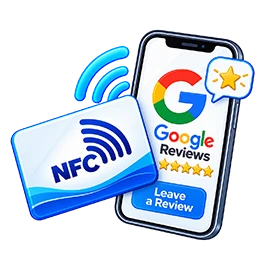
Direct customers to the genuine review page for their voluntary feedback. The card should never offer rewards, filter unhappy customers or create misleading reviews.
Website and WhatsApp
Open an official website, catalogue, contact form or a WhatsApp conversation with a prepared introductory message. The user remains in control of sending the message.
Printed ID Card
Print an approved logo, photo, employee name, designation, employee code and visual details while using the NFC chip for a compatible authorised purpose.
NFC and RFID: What Is the Difference?
| Point | NFC | Broader RFID Family |
|---|---|---|
| Technology | A short-range RFID technology at 13.56 MHz | Includes LF, HF and UHF systems |
| Typical interaction | Intentional tap or very close scan | Range varies greatly by frequency, tag and reader |
| Smartphone use | Many modern phones can read common NFC tags | LF and UHF credentials generally need dedicated compatible readers |
| Communication | Supports defined reader/tag and device communication modes | Capabilities depend on the specific RFID technology |
| Common use | Smart links, business cards, mobile interactions and compatible access systems | Attendance, access, inventory, asset or vehicle identification |
It is not accurate to say that every RFID card reads from 80 to 100 metres. Passive 125 kHz and 13.56 MHz cards generally work at short range, while some properly designed UHF systems can read much farther. Card, reader, power, antenna, environment and local regulations all affect range.
NFC Chip Type, Memory and Rewriting
NFC cards are available with different chip families, memory sizes and security features. Some common URL-sharing tags provide only a few hundred bytes of usable memory, which is enough for a short web address. Other smart-card families may provide memory measured in kilobytes, including options such as 1K, 2K, 4K or 8K depending on the exact product.
Terms such as EV1, EV2 and EV3 identify generations in particular chip families; they do not by themselves guarantee one memory size or compatibility with every phone or reader. We select the chip according to the required data, phone support, security level, reader and budget.
A rewritable, unlocked card can normally be re-encoded within its capacity. A permanently locked tag cannot normally be rewritten. For changing information later, a managed short URL can be stored on the card and its destination updated through the authorised website system.
Android and iPhone Compatibility
Many current Android phones and iPhones can read common NFC website tags, but compatibility is never universal. It depends on the device model, operating-system version, NFC setting, antenna position, NDEF format and chip technology. Some older phones, tablets or restricted workplace devices may not support the requested action.
For this reason, we recommend testing the exact card sample on the phone models commonly used by the customer before bulk production. A printed QR code can also be added as a visible fallback for users whose device cannot read the NFC tag.
Design, Encoding and Sample Testing
- Confirm the intended action, chip, quantity and compatible devices.
- Prepare a card design with approved logo, colours, photo and details.
- Encode a sample and test its URL, tap response and printed QR fallback.
- Obtain design, data and sample approval before bulk printing.
- Print, encode and check the approved order before dispatch.
Lost Card and Link Security
If a lost card contains a direct public URL, the physical card cannot automatically be switched off unless the destination or access system is under the owner's control. The owner can remove or change the destination page, display a lost-card notice, deactivate the associated account, or revoke an access credential in authorised software.
A replacement should use an approved new credential where security is involved. We do not create harmful links, clone cards or produce unauthorised company, government or access credentials.
Frequently Asked Questions
Can an NFC card open WhatsApp without sending a message automatically?
Yes. It can open a WhatsApp conversation with a prepared message, but the user reviews and sends the message.
Can we print a photo and company logo on the NFC card?
Yes. Suitable PVC NFC cards can carry a customised design, logo, employee photo and approved details in glossy or matt finish.
Can NFC data be changed after printing?
It depends on whether the tag is rewritable and unlocked. A managed redirect link is often the easiest way to change an online destination later.
Do you provide bulk printing and delivery?
Yes. We provide design approval, sample testing and bulk production. We serve Ahmedabad and Gujarat and can dispatch across India; delivery charges are additional.
Related Smart Card Services
Learn about RFID cards, compare access-control cards, explore employee ID cards, or contact us with your required NFC action and quantity.
Need a Custom Printed NFC Card?
Share the destination link, card design requirement, quantity and target phone models. We will recommend sample testing before bulk production.
+919825777783 WhatsAppSupport Our Free Tools
If our free tools, templates and resources helped you, you can support us with a small contribution.
Support Us