Access Control Card Printing and Compatibility Testing
Custom printed employee, visitor and smart access cards for authorised door-entry systems.
IDCard99 provides card design, printing, data preparation and sample testing for offices, factories, schools, hospitals and other controlled facilities. We first check the existing reader and system because access credentials that look identical may use different technologies.
Call Now WhatsApp4.7 Rating | 175 Google Reviews
What Is an Access Control Card?
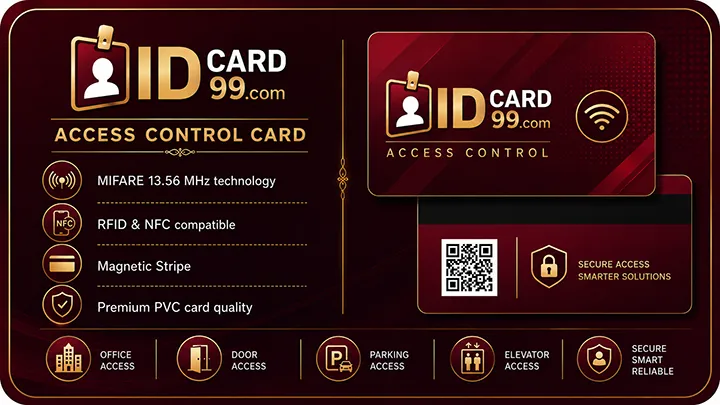
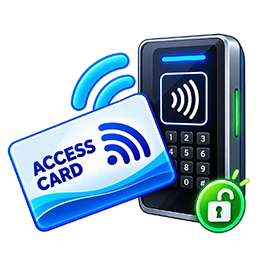
An access control card carries a credential using technology such as a contactless RFID chip and antenna, a contact smart chip or a magnetic stripe. When an authorised user presents or swipes the card, the compatible reader reads its credential and sends the information to a controller or access-management system.
The system compares that credential with its authorised database and checks the assigned rules. If the cardholder is permitted to use that door at that time, the controller activates the lock relay for a configured period. If the credential is invalid, expired or not permitted for that area, the door remains locked and the event may be recorded.
The card does not make the access decision by itself. Security depends on the credential, reader, controller, software, wiring, lock, enrolment process and system configuration working together.
Reader, Controller, Software and Electric Lock Workflow
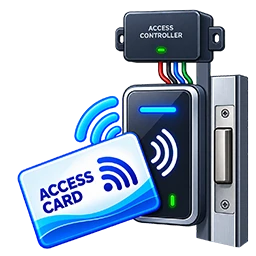
- Credential: the employee or visitor presents an enrolled card.
- Reader: a compatible reader obtains the credential and passes it through its supported communication method.
- Controller: the protected controller checks locally stored rules or communicates with authorised management software.
- Decision: the system verifies card status, door permission, date, shift and time schedule.
- Door hardware: an approved decision activates the electric strike, magnetic lock or other connected locking device.
- Event record: granted and denied attempts may be stored for authorised security review.
Where Access Cards Are Used
Offices and Factories
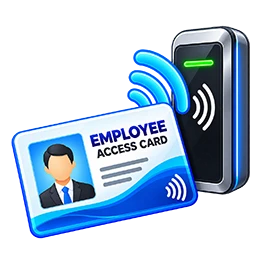
Employee entry, attendance integration, shift-based permissions, restricted departments and asset-protection areas.

Schools and Colleges
Authorised staff or student access, attendance, libraries, laboratories and controlled rooms. Parent notifications require a separately configured system.
Hospitals
Permission-based access for staff areas, records, laboratories, pharmacies and locations that require patient privacy or medicine security.

Visitors and Contractors
Temporary credentials can permit selected entry and exit points for a limited date or time, then expire or be disabled after return.
RFID, NFC, Magnetic Stripe and Smart Cards
| Technology | How it is presented | Important point |
|---|---|---|
| RFID credential | Held near a compatible contactless reader | RFID is a broad family that includes different frequencies, protocols, ranges and security levels. |
| NFC / 13.56 MHz | Tapped or held very close to a compatible reader or supported phone | NFC belongs to the HF RFID family, but NFC and RFID are not interchangeable names for every credential. |
| Magnetic stripe | Physically swiped through a suitable reader | The stripe stores magnetically encoded data and can wear through repeated contact. |
| Contact smart card | Inserted into a compatible contact reader | Its visible contact module communicates with the reader; chip and application compatibility still matter. |
| Contactless smart card | Presented near a compatible reader | May support stronger authentication and more secure applications when the complete system is configured correctly. |
A bank card should not be used as a general access credential simply because it has a stripe or contactless symbol. Access systems require credentials specifically issued and managed by the responsible organisation.
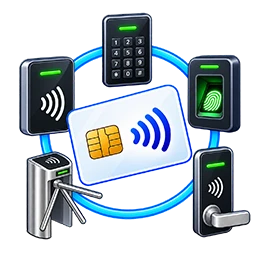
Match the Card with the Existing Reader
Compatibility cannot be confirmed only by matching the printed card number. The number may be a visible employee reference while the reader uses a separately encoded credential and data format.
- Reader make and model, supported credential technology and frequency
- Chip family, protocol, application and security requirements
- Credential number format, facility code or bit format where applicable
- Reader-to-controller protocol and controller/software support
- Whether existing credentials use customer-specific keys or enrolment rules
- A physical sample test on the actual reader before bulk printing
Entry, Exit and Time Permissions
A suitable system can assign different permissions to each employee, department, visitor or contractor. For example, a card may work only at selected doors, during one shift, on approved weekdays or until a stated expiry date.
Anti-passback, two-person rules, elevator floors and alerts are system-specific features. They should be configured by the authorised installer according to safety, emergency-exit and privacy requirements.
Printed Employee Details
Cards can include an approved company logo, employee photograph, name, employee code, designation, department, validity and visible instructions. A QR code may be added for an authorised purpose if it does not expose sensitive credential data.
The printed layout and electronic credential are separate parts of the job. Visual proof approval does not replace the required electronic compatibility test.
Attendance Card vs Access-Control Card
An attendance card identifies an enrolled user so the system can record check-in, check-out or shift activity. An access-control card asks the system whether that user is permitted to unlock a particular door or enter a protected area.
One physical credential can sometimes be used for both functions when the attendance and access systems support the same authorised credential. This must be confirmed through the reader, controller and software documentation; it should never be assumed from the card appearance.
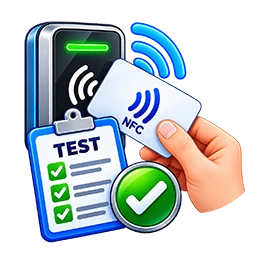
Design Approval, Excel Data and Sample Testing
- System check: collect reader model, working credential details and authorised technical requirements.
- Design proof: prepare the approved logo, colours, photograph and employee fields.
- Data proof: verify Excel or CSV names, codes, photos, departments and validity dates.
- Sample enrolment: test one suitable credential on the customer's actual system.
- Approval: confirm design, printed data and electronic operation before bulk production.
- Production and delivery: print and inspect the approved cards, then dispatch them securely.
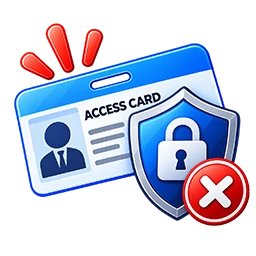
Lost Cards and Access Security
A lost employee card should be reported and disabled immediately in the authorised controller or access-management software. Rather than deleting every record, marking the credential inactive normally preserves useful audit information. Relevant events can then be reviewed and a new, separately enrolled replacement issued.
Security should not rely only on a visible or easily copied number. Modern systems may use secure credentials, mutual authentication and protected reader-to-controller communication. Technology and installation choices should be made by a qualified access-control professional.
We do not copy, clone or issue unauthorised access cards. Orders and enrolment must be approved by the organisation responsible for the premises and system. Unauthorised entry and credential misuse may be illegal and dangerous.
Frequently Asked Questions
Can a visitor card open every door?
It should not. Visitor credentials should be limited to approved doors, dates and times and disabled or collected when the visit ends.
Can the same card record attendance and unlock a door?
Possibly, but only when both systems support and are configured for that credential. Sample testing is required.
Can you print employee photographs and validity dates?
Yes. Approved photos, names, employee codes, designations, departments and validity information can be printed on suitable card stock.
Do you deliver access cards outside Ahmedabad?
Yes. We serve Ahmedabad and Gujarat and can dispatch approved orders across India. Delivery charges depend on the destination and shipment.
Related Smart Card Services
Learn about RFID cards, compare NFC cards, view employee ID cards, or contact us with your reader model and a working sample-card specification.
Need Compatible Printed Access Cards?
Share the reader model, authorised credential requirement, design and quantity. We recommend sample testing before bulk production.
+919825777783 WhatsAppSupport Our Free Tools
If our free tools, templates and resources helped you, you can support us with a small contribution.
Support Us